Address Autocomplete in Checkout: Setup and Pitfalls
Short answer
Address autocomplete in checkout suggests complete addresses as the customer types and fills the form fields on selection. Set the standard autocomplete tokens so browser autofill works, add a suggestion service on the first address line, keep the unit field visible, and always allow manual entry when the address is not in the list.
Baymard Institute, which benchmarks e-commerce checkouts, reported in 2023 that 55 percent of the sites it tested did not offer automatic address lookup. The same research found that 9 percent of manually entered shipping addresses in one round of testing had typos or misspellings. Those two numbers make the case for autocomplete. A third number from the same work makes the case for doing it carefully: when the address a participant wanted did not appear in the suggestions, 69 percent switched to typing it manually.
So autocomplete helps most customers and must never trap the rest.
Two different features with similar names
Browser autofill and address autocomplete are often confused, and they solve different problems.
| Criterion | Browser autofill | Address autocomplete service |
|---|---|---|
| Source of the address | Customer's saved data | Reference database of addresses |
| Cost to the shop | Free | Per request or per lookup |
| Works for first-time typing | ||
| Fixes a wrong saved address | partly | |
| Needs correct HTML attributes | no, but helps | |
| Sends keystrokes to a third party |
Autofill depends entirely on your markup. If the fields carry the right tokens, browsers fill name, street, city and postcode in one tap. If they do not, the browser guesses, and guesses badly on forms with unusual labels. This part costs nothing and should come first.
The markup: autocomplete tokens
The WHATWG HTML standard defines the tokens. For a shipping address form:
<input name="name"     autocomplete="shipping name">
<input name="line1"    autocomplete="shipping address-line1">
<input name="line2"    autocomplete="shipping address-line2">
<input name="city"     autocomplete="shipping address-level2">
<input name="region"   autocomplete="shipping address-level1">
<input name="postcode" autocomplete="shipping postal-code">
<select name="country" autocomplete="shipping country">
address-level2 is the city or town in countries with two administrative levels, and address-level1 is the broadest level, such as a US state or Canadian province. country expects a two-letter ISO code as the value. The shipping and billing prefixes let the browser fill two different addresses in one form without mixing them up.
The spec’s own example for address-line2 is MIT Room 32-G524, a room in a building. That is the field your autocomplete must not overwrite or drop, a point we come back to below. For what customers put into that field and what they should put there, see address line 2.
Adding a suggestion service
An autocomplete service sits on the first address line. After a few characters it returns suggestions, the customer picks one, and your code splits the result into the form fields.
- Country firstSet or detect the destination country and restrict suggestions to it.
- Type in line 1Query after 3 or more characters, with a short debounce.
- Pick a suggestionFetch the full address and fill line 1, city, region and postcode.
- Focus the unit fieldMove the cursor to line 2 so the customer adds the flat or suite.
- Manual fallbackA visible link: address not listed? Enter it manually.
- Validate before labelCheck the final, possibly edited address before shipping.
Baymard’s testing also found that sorting suggestions alphabetically made users type more before finding their address, while ranking by proximity to the user’s approximate location worked well. Check whether your service accepts a location bias.
On cost, Google’s current price list shows 10,000 free Autocomplete requests per month in the Essentials tier and 2.83 US dollars per 1,000 requests after that, falling with volume. Sessions are not billed under the session usage SKU, but turning the selected suggestion into a full address is a separate request with its own price. Model your real flow on the Google Maps Platform pricing page before you commit, because the debounce interval and the minimum character count change the request count a lot.
Where autocomplete fails
Suggestion lists come from reference data, and some addresses are thin or missing in that data. The failure cases are predictable:
- Flats and suites. Suggestions often stop at the building, not the unit. If your code fills line 1 and clears line 2, the flat number is gone.
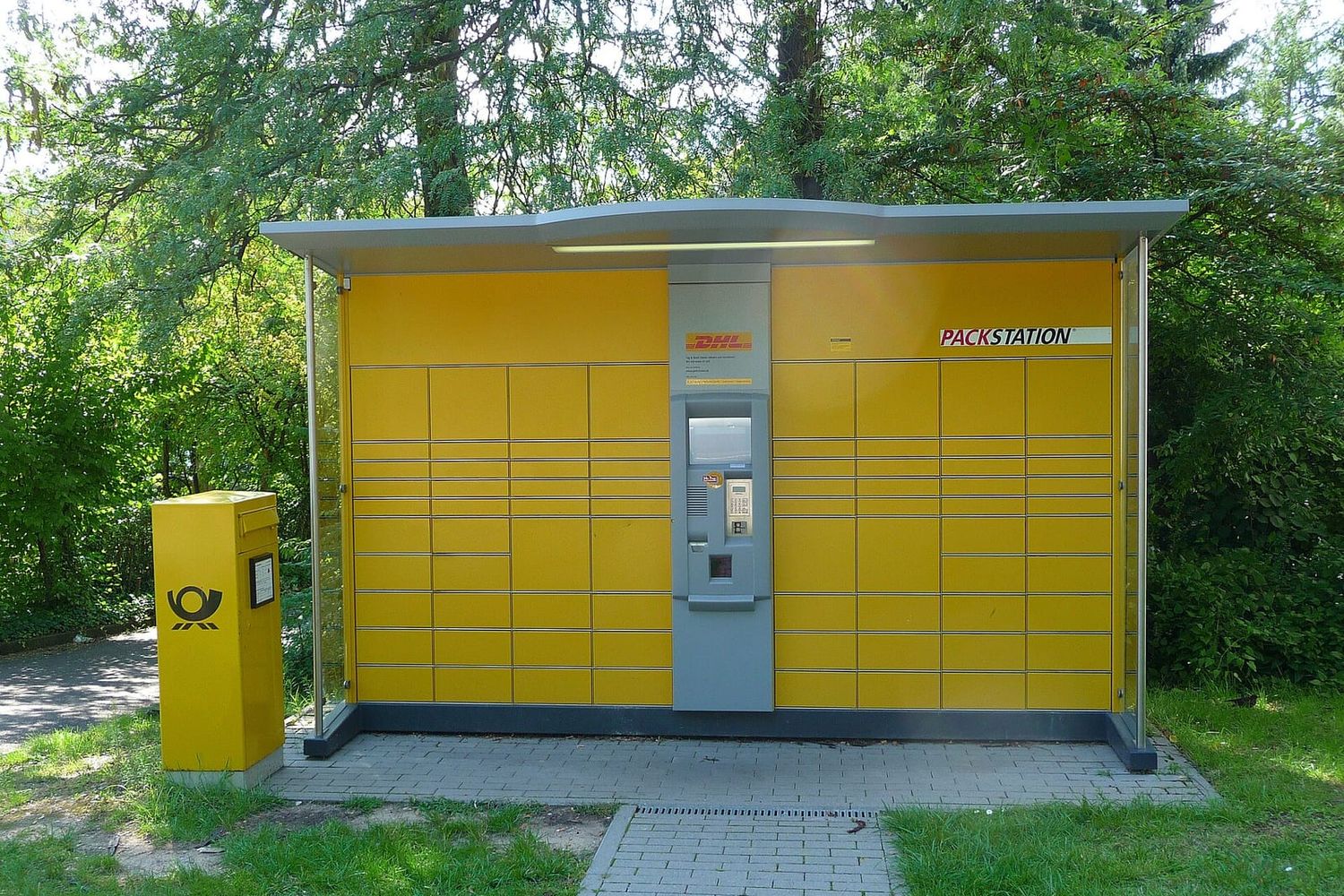
- Parcel lockers and post office pickup. A German Packstation address uses
Packstation 101in place of a street and needs the customer’s Postnummer. General-purpose address data often does not include it. Our guide to the German address format shows the required fields. - PO boxes and military addresses. US
PO BOXandAPO AEaddresses are valid for USPS but may be missing from map-based suggestion data. - New buildings. Reference data lags behind construction.
- Rural addresses and named houses without numbers, common in the UK.
Every one of these customers needs the manual path. Hide it, and some will abandon the order while others type their address into whatever field accepts it, which produces exactly the messy data autocomplete was supposed to prevent.
Details that matter on mobile
Baymard observed that test participants made more input errors on mobile devices because of the smaller touch keyboards. That is where autocomplete pays off most, and also where a clumsy suggestion list hurts most.
Put the country selector above the address fields, not below. The country decides the labels (ZIP Code or postcode, state or county or province), the postcode pattern and the suggestion region. Asking for it last means the customer fills a US-shaped form for a UK address.
Use inputmode="numeric" only for countries with purely numeric postcodes, such as the US or Germany. UK, Canadian, Dutch and Irish postcodes contain letters, and a numeric keypad makes them impossible to type.
Build the suggestion list as an accessible combobox. The WAI-ARIA pattern for this is well documented: arrow keys move through suggestions, Enter selects, Escape closes the list. Screen reader users need to hear how many suggestions appeared. And do not submit the form when a suggestion is selected; selection only fills fields.
After selection, show the result as a formatted address block above the fields, the way the label will print it. Customers spot a wrong town or a missing flat number much faster in a familiar layout than in six separate inputs.
Validate what was finally submitted
Autocomplete improves the input. It does not guarantee the output. Customers edit filled fields, paste addresses, or skip the suggestions. Before the order goes to fulfilment, check the final address: a format check catches the obvious problems (our address format checker shows the rules per country, and postcode regex patterns cover the client-side part), and an address validation API confirms deliverability. The two steps fit together well in practice: autocomplete in the browser, validation on the server. Our comparison of address validation APIs explains what to look for in the second step.
One more practical point. Autocomplete sends every keystroke of an address to a third party. Mention the provider in your privacy notice and restrict the request to the address field only.
If your checkout runs on a custom stack and needs this built in properly, with fallback, unit handling and server-side validation, a development studio such as OnlineBuilders can take it on.
The cheapest first step costs nothing: add the autocomplete tokens above to your existing address form and test it with a saved address in two different browsers.
Address format checker: Checks postcode format, house number and line order against the postal rules of the selected country, and prints the address in the format the post expects.
Questions people ask
Is browser autofill the same as address autocomplete?
No. Browser autofill inserts an address the customer saved earlier, and it is free. Address autocomplete queries a service with what the customer is typing and suggests matching addresses from reference data. A good checkout supports both.
Does address autocomplete replace address validation?
Not completely. A selected suggestion is usually correct down to the building, but customers can edit the fields afterwards or type an address manually. Validate the final address before you create the shipping label.
What does Google Places Autocomplete cost?
Google's price list shows 10,000 free Autocomplete requests per month for the Essentials tier, then 2.83 US dollars per 1,000 requests in the first paid band. Retrieving the full address after selection is billed separately, so check the current list for your whole flow.
Should the address fields stay hidden until the customer picks a suggestion?
It is safer to show them. Customers whose address is missing from the suggestions need a quick way to type it, and they need to see and correct the flat number.